
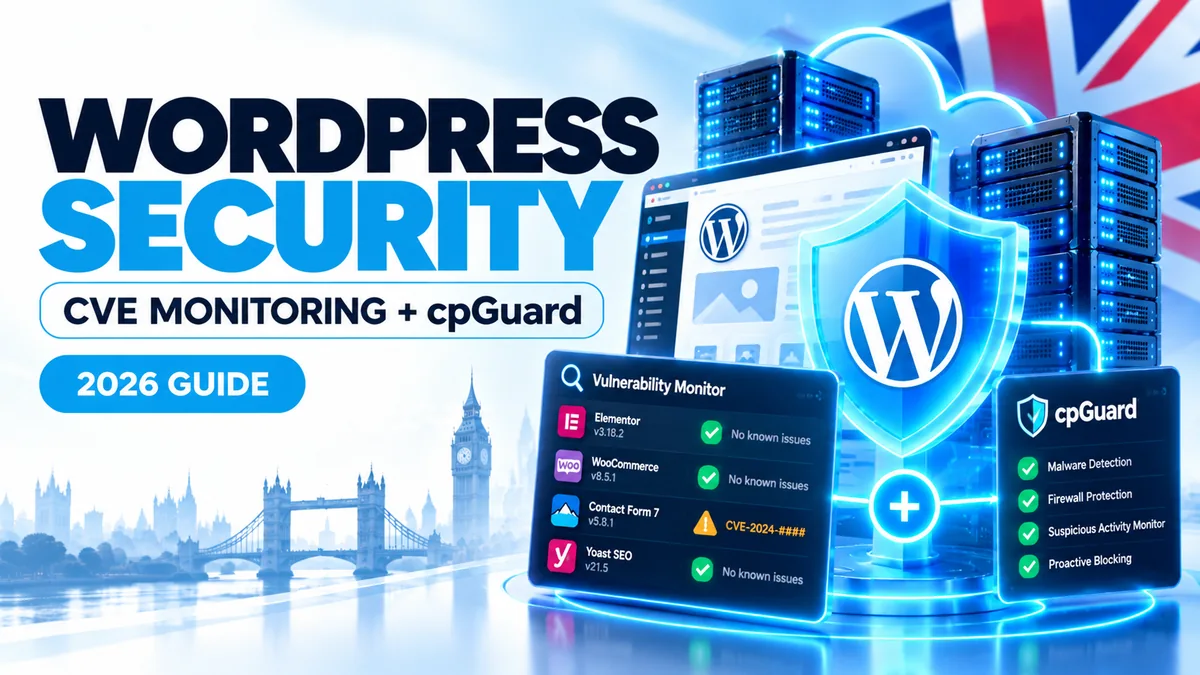
A WordPress website can look perfectly healthy while an installed plugin is affected by a newly disclosed security vulnerability. At MyFastWebHosting, we believe protecting websites means looking for those risks before they turn into a problem — not only scanning for malware afterwards.
The short answer
Our approach combines different layers of security. Alongside server-level protection from cpGuard, we have developed our own WordPress vulnerability monitoring system for our cPanel hosting environment. It identifies installed plugin versions, checks them against published vulnerability information and reports installations that may need attention.
This helps our team investigate exposure earlier. It does not mean every vulnerability is prevented, that a flagged website has been hacked, or that customer plugins are automatically updated or disabled.
Good WordPress security is not simply a case of installing an antivirus plugin and hoping for the best. WordPress itself is only one part of a website. The themes, plugins, PHP environment, hosting configuration and administrator accounts can all contribute to the overall security picture.
For hosting providers, the challenge becomes more complex when many different websites use different plugins, themes and versions. A vulnerability announcement that is irrelevant to one customer may matter urgently to another.
That is why we have invested in an additional, purpose-built monitoring workflow at MyFastWebHosting: a way to cross-reference published WordPress vulnerability information with the software versions actually found on hosted installations.
Why WordPress vulnerability monitoring matters more than ever
WordPress is supported by an enormous ecosystem of third-party components. That flexibility is a strength, but it also means website owners rely on code maintained by many different developers, each with their own release and security processes.
According to Patchstack’s State of WordPress Security in 2026, researchers reported 11,334 new WordPress ecosystem vulnerabilities in 2025, a 42% increase compared with the previous year. Approximately 91% were found in plugins, while the remainder predominantly affected themes.
| 2025 finding | Reported figure | Why it matters |
|---|---|---|
| New vulnerabilities | 11,334 | There is a large volume of new advisories to assess. |
| Year-on-year change | +42% | Manual checking alone becomes increasingly difficult at scale. |
| Plugin-related vulnerabilities | 91% | Knowing which plugin versions are installed is particularly valuable. |
Source: Patchstack’s 2026 report, covering vulnerabilities reported in the WordPress ecosystem during 2025. Discovery and disclosure figures do not mean all affected websites were compromised.
Crucially, not every new advisory poses the same level of risk. Some require administrator access or unusual conditions; others may be exploitable without logging in. A useful security process must distinguish a relevant, potentially exploitable finding from background noise.
Patchstack also reported that 46% of vulnerabilities did not receive a fix from the developer in time for public disclosure. This is another reason why a newly published advisory needs review rather than an assumption that an update will already be available.
What is a CVE, and does it mean your site has been hacked?
CVE stands for Common Vulnerabilities and Exposures. A CVE identifier is a standard way to refer to a publicly recorded security weakness in a particular product or component. WordPress-related vulnerability databases may also contain advisories with other identifiers, so CVE monitoring is useful shorthand rather than a complete description of every record.
A vulnerability report usually describes affected software, a version range, the kind of weakness involved and, when known, whether a patched version is available.
A vulnerable version is not the same as an infected website. An alert means that software present on a site may fall within a published affected-version range. It does not, by itself, establish that an attacker has exploited the issue or accessed the website.
Likewise, an apparently clean malware scan does not prove there are no vulnerable plugins. Malware detection and vulnerability identification answer different questions, which is why we use a layered approach.
Our layered approach: cpGuard plus independent vulnerability monitoring
MyFast uses hosting security controls at more than one level. In our cPanel environment, cpGuard provides established server-security capabilities, while our custom monitoring adds independent visibility into installed WordPress plugin versions and known advisories.
| Security layer | Primary role | What it helps us understand |
|---|---|---|
| cpGuard | Malware scanning, WAF and other security controls, depending on enabled modules and configuration | Suspicious files, malicious activity and attempts that security rules may detect or block |
| MyFast’s custom vulnerability monitor | Read-only inventory and matching of installed plugin versions against published advisories | Which WordPress installations may contain software with a known vulnerability |
| Administrator review | Assess findings, confirm relevance and plan suitable remediation | Whether an update, investigation or other action is appropriate |
cpGuard itself also advertises CMS vulnerability and threat-mitigation features. Our custom monitor is an additional, independently developed cross-check, not a claim that cpGuard lacks vulnerability features or that the two products share a single integrated detection engine.
This distinction matters because no one tool provides complete protection. A firewall may block some attacks but cannot guarantee that every application-level weakness will be stopped. A malware scanner may reveal signs of compromise, while a vulnerability inventory may show a risk that has not yet been exploited.
We also use CloudLinux-based hosting infrastructure for account isolation and resource management. That is another part of the wider hosting environment, but it does not replace patching vulnerable WordPress software.
How our custom WordPress vulnerability monitor works
We developed the monitor to answer a practical operational question: when a new plugin vulnerability is disclosed, do any of the WordPress installations we manage have an affected version?
The monitor used in our cPanel/CloudLinux environment operates at server level. Rather than requiring us to log into each customer’s WordPress dashboard, it reads the installed plugin information directly. It does not need to execute a customer’s WordPress application to build that inventory.
1. Identify installed WordPress plugins and versions
The starting point is an inventory of WordPress installations and their plugin versions. A vulnerability affecting an older release is only useful to investigate if we know which websites may have that release installed.
2. Cross-reference independent vulnerability information
Our system queries published WordPress plugin vulnerability information, including data provided by the WPVulnerability project. It checks the version information found on the server against affected-version conditions in the available records.
This is more useful than simply producing a list of recently announced CVEs: it attempts to connect each advisory to a specific installed component and version.
3. Highlight installations that may require attention
When the installed version appears to fall within a reported vulnerable range, the monitor can surface the finding for review. Not every match is an emergency; a responsible follow-up considers exploitability, the software’s role, whether a fix exists and any uncertainty in the underlying advisory.
4. Investigate before making changes
Our custom tool is deliberately reporting-focused. It does not automatically delete, disable, quarantine or update a customer’s plugins. Making changes to production WordPress sites can affect forms, bookings, payments or other business functions, and needs appropriate testing and judgement.
Why this is different: the key value is not inventing another list of vulnerabilities. It is connecting external advisory data with an inventory of the plugin versions installed across a hosting environment, making the findings more actionable for our administrators.
The information is necessarily limited to what the monitor can identify and what has been published by the relevant vulnerability sources. Unknown vulnerabilities, custom code weaknesses or incomplete third-party records may not be detected by this check.
A practical example: when a plugin advisory affects a hosted website
Imagine a new security advisory identifies a flaw in certain versions of a popular WordPress calendar or appointment-booking plugin.
Without version-aware monitoring, an administrator might need to search through many websites manually to discover whether the affected plugin is installed. The disclosure might be missed entirely if the affected website is not being actively maintained.
With our approach, the plugin inventory and advisory matching can identify installations whose versions appear to fall in the affected range. The next step is to review the advisory, establish whether a safe update is available and plan any necessary remediation.
Depending on the circumstances, the responsible action might be updating a plugin after a backup, checking whether the issue applies to the site’s configuration, temporarily restricting an exposed feature, or contacting the website owner. There is no universal one-click answer.
This is an illustrative workflow, not a report of a particular customer’s security incident.
Is artificial intelligence making WordPress vulnerabilities worse?
AI is changing how software is built and researched. Developers can use AI assistants to generate plugin functionality quickly, while security researchers and attackers can also use automation to inspect code and explore possible weaknesses.
That creates both opportunities and concerns. Faster development is useful, but code still requires careful security review. AI-assisted analysis can help defenders discover bugs; it can also increase the volume of low-quality or poorly validated security reports.
Patchstack noted more low-quality AI-generated vulnerability submissions in 2025 and warned about the expanding attack surface created by custom-coded and AI-assisted components. But it would be misleading to say AI caused the 42% rise in reported vulnerabilities. More intensive research, improved reporting and broader ecosystem coverage can also contribute to higher disclosure totals.
For a hosting provider, the practical response is the same: know what software is present, pay attention to trustworthy advisories, prioritise credible risks and avoid relying on just one defensive product.
What WordPress website owners can do right now
Even with proactive hosting-level checks, website owners and developers remain important parts of the security process. A sensible routine does not need to be complicated.
- Update WordPress, plugins and themes promptly after checking compatibility and taking a restorable backup.
- Remove unused software, especially abandoned plugins or themes you no longer need.
- Use strong, unique credentials and enable multi-factor authentication where supported.
- Choose maintained plugins from trusted publishers and check security notices for premium extensions too.
- Keep independent backups and occasionally verify that restoration works; backups support recovery but do not prevent attacks.
- Take vulnerability alerts seriously without assuming every notice means a breach.
- Ask for help before changing a critical plugin if your site relies on bookings, ecommerce, memberships or other business processes.
If you are moving from an older hosting environment, our WordPress migration guide explains how to plan a move safely. You can also explore our WordPress hosting options.
Security monitoring is most effective as part of a broader maintenance process. If a hosting alert identifies vulnerable software but nobody can update or review it, the underlying risk may remain.
Frequently asked questions
What is WordPress vulnerability monitoring?
It is a process of checking WordPress components and their versions against known vulnerability information so that potentially affected software can be investigated. Its accuracy depends on inventory coverage and the quality and freshness of the advisory sources.
Does a CVE alert mean my WordPress website has been hacked?
No. A CVE or vulnerability alert identifies a reported weakness, not proof of exploitation. Separate investigation is needed to establish whether there are signs of compromise.
Does cpGuard automatically fix every vulnerable WordPress plugin?
No. cpGuard offers several security capabilities, including malware and firewall-related tools, but it is not a guarantee against every WordPress vulnerability. Plugin updates and application-specific remediation still require an appropriate process.
Does MyFast’s custom monitor automatically update customer websites?
No. Our custom monitor is designed for inventory, matching and reporting. It does not automatically change, disable or remove customer plugins.
Can a WordPress site have a vulnerability without showing malware?
Yes. A known security weakness can exist before anyone exploits it. Conversely, malware or a compromise may occur for reasons that a plugin-version check would not detect. The two checks complement one another.
Do you monitor every type of WordPress vulnerability?
No monitoring system has complete coverage. Our described custom workflow focuses on installed plugin-version information and published vulnerability records in supported cPanel hosting environments. Coverage and protection vary with the installed components, available data and configured security services.
WordPress hosting with people who take security seriously
Explore MyFastWebHosting’s UK WordPress hosting with SSD storage, CloudLinux, free SSL and daily backups. Our team works with cPanel and DirectAdmin and can help you plan a safe move or discuss a security concern.


